Friday, April 7, 2017

TOE week 32: I got a rock


I improved on the time gate give it some more doodads. That was the start of the week. The rest of the week was listening to a pod cast and drawing rocks. Lots and lots of rocks. Then shading them. Shading lots and lots of rocks. I made a room for my time gate. 

At first I made this room from scratch in blender, cast UVs using my now greater understanding of them only to find out that what I did was again a waste of time. The new UVs were a different size than the old UVs and that can cause all kinds of problems especially down the road. So tossed that file and opened the old collision set and built the room out of that. Then I had to edit these UVs to then be the room instead of the old collision. This wasn’t difficult so much as it was tedious. Again blenders UVs tools are either bad, or I don’t know how to properly use them, or both are true making a perfect storm of disaster. 

I set up a rainbow bridge in the new UVs quickly to see if it was compatible with the old collision visually. And it was, GREAT something that worked out. Then I started to draw the cave that this was supposed to be. That is when I started drawing rocks so many rocks. 

Many rocks and two podcasts later I had a cave. However I did need a way to connect that cave to the older collision via a conversion piece. Also I never made a ceiling set of artwork for my collision because it didn’t seem necessary at the time. Might need one in the future.
So anyway this is: Time Gate in Cave plus rocks. 


I also had some cool people over who I got to show off my game to. I put it up on the TV and getting to see it like that was pretty awesome. It was like it was a real game or something. All and all it was a very good week.

Friday, March 31, 2017

TOE week 31: Accidentally Infinity


Not having a lot of time is not fun. Again this week was mostly taken up with my real job, being a dad. I did still manage to do some work. I drew some things scanned them and colored them. I needed to make a star gate looking thing that teleports the player. Then I made a streetlamp.

One thing that is often overlooked in game development is that making the art is only half of the work. You have to make it function in the game. Again ‘under the hood’ all of this is just different invisible box colliders with pretty pictures painted on top of them. So I made a star gate, now I have to make it actually work. Fortunately I had already made a box that when the player ‘talks’ to it, it will teleport them I just had to connect them and bam working game asset! The same thing was true of my streetlamp. I had already made the hit box that when struck by the player’s primary weapon will give the player more ammo then all I had to do was put that on the streetlamp artwork. I need to add a particle effect on death that is like shattered glass but right now the light goes out when struck. 

Then I started adding in more art to the star gate. I put a texture that was where you were going to teleport to. That was when I created infinity in Unity. I wasn’t trying to but when it happened I wasn’t surprised. Then when I was admiring this occurrence of infinity, it broke. The shader doesn’t work anymore it is now a flat black. Fortunately I took this screenshot of it in game. 


Now I have to fix it.

Next week I should make another street lamp and a broken star gate also a room that the star gate is in would be pretty good too. Need more time!

Sunday, March 26, 2017

TOE week 30: 85% is not enough for my wife


I didn’t have the most productive week. I did find a super cool bug when two teleporters overlap it sends the player’s position into oblivion and then fall until forever. No time to fix that however as I’m working on other things. Time was eaten up by breaking cars and other things. It wasn’t a terrible week though. I managed to put in artwork for all of the secondary weapons. The boomerang looks particularly cool IMHO. 

You know how an angry bird points toward the angle of its arc? Well I spent about a day trying to figure out just how to do that. The trouble with internet tutorials is that there is A LOT out there but not all of it applies directly to your specific situation. Like I could find out how to do this if you are trying to turn the Player facing based off of left analog input. I was almost to the point of asking a Unity Facebook group I am a member of. But then my wife called. We talked and I told her what I was trying to do and why it didn’t seem to work. She said ‘I know how to do that’.

She came home and wrote down part of an equation. She then bemoaned that she hadn’t used calculus in a while and didn’t hand me the equation. Then she had to work on her job stuff and the next morning she finished the equation showed me when I got up and then went to work. When my dad job was done I opened up the laptop plugged the equation as I understood it and it didn’t work. The Axe weapon just spun wildly and I was already doing that with the boomerang. Texted my wife she called and told me what I was doing wrong. I was using Tan instead of Atan. Hahahaha math! Switched it out and it worked…. Well mostly. 

The facing of the object I am rotating based on the angle doesn’t seemed to completely match the trajectory. But it is mostly right. Like 85% right. 85% was not enough for my wife. She considered this a failure. Personally from my POV this was 200% better than what I had two days before. It had game art and it appeared to face the direction of travel for the most part. Is this the behavior I would like to ship the game with? Hell no but it passes for now. 

For the truly curious and more math is fun friends of mine my wife’s equation looks like this in code:
toTangent = ((-4 * elapse_time) + (strengthY * speed));         angleOfMotionInRad = Mathf.Atan(toTangent) * playerFaceing * -1;           axeSprite.transform.Rotate(new Vector3(0, 0, angleOfMotionInRad));    
 
Also these 3 lines of code are far simpler than anything I could find online as to how you’re actually supposed to do this. So next time I’ll just ask my wife when I can’t get the boss AI right. Shouldn’t be a problem. 

Next week I hope to put in more artwork. Maybe I can put in some targets that are actually artwork. I also meant to add in a gateway artwork this week but didn’t have the time.

Monday, March 20, 2017

TOE week 29: Logical Gates.


I was once again late with my update but I had a busy weekend. However I did work on this giant project. Powers management.  Remember how I spent weeks working on creating various different powers like air dash and portal? Well last week I spend days figuring out how to turn them off. In my game loop it works something like this. Play level => Fight Boss => Get new Power. However powers are equipable. So I needed two bools for each power. IsEquiped and isUnlocked. If both are true then you can air dash.  There is also a health effect when I power is equipped and I had to put in the math for that. This week was like creating an electrical switch. 

I ran into a problem. I put the power manager script onto the player and I understand how to get two different scripts to talk to each other but I didn’t know how to get two scripts on the same object to talk to each other. Seemed pretty basic actually. Usually this would be something that would hang me up for a little while but knowing what I now know I solved it in about ten minutes. The cool thing about this week has been that all of the problems I seemed to encounter I seemed to be able to solve with knowledge I already had. And that is a great feeling. It is like I’m actually good at this now or something! Don’t worry I also know I shouldn’t let it go to my head. I mean there is so much more to know about C# and Unity. 

I guess the down side is that I really don’t have anything to show off this week because it was all in code really. This week I need to start making more artwork and I think I’m going to start making my vertical slice level. I should probably make a list of all of the things that needs.

Friday, March 10, 2017

TOE week 28: Diagonal Legos++


I know that some of you might have looked at the rainbow bridge that I made last week and thought something like ‘what? Why is that even useful?’ Well it is test art. There is really no point in making full blown artwork if you don’t know what it is going to be put on. In fact if you just make the art and try to find a way to squeeze it in you’re just going to wind up with a lot of wasted art. The reason I want the UVs on this to be so precise is that I’m trying to make them attach with every other piece and still look correct. 

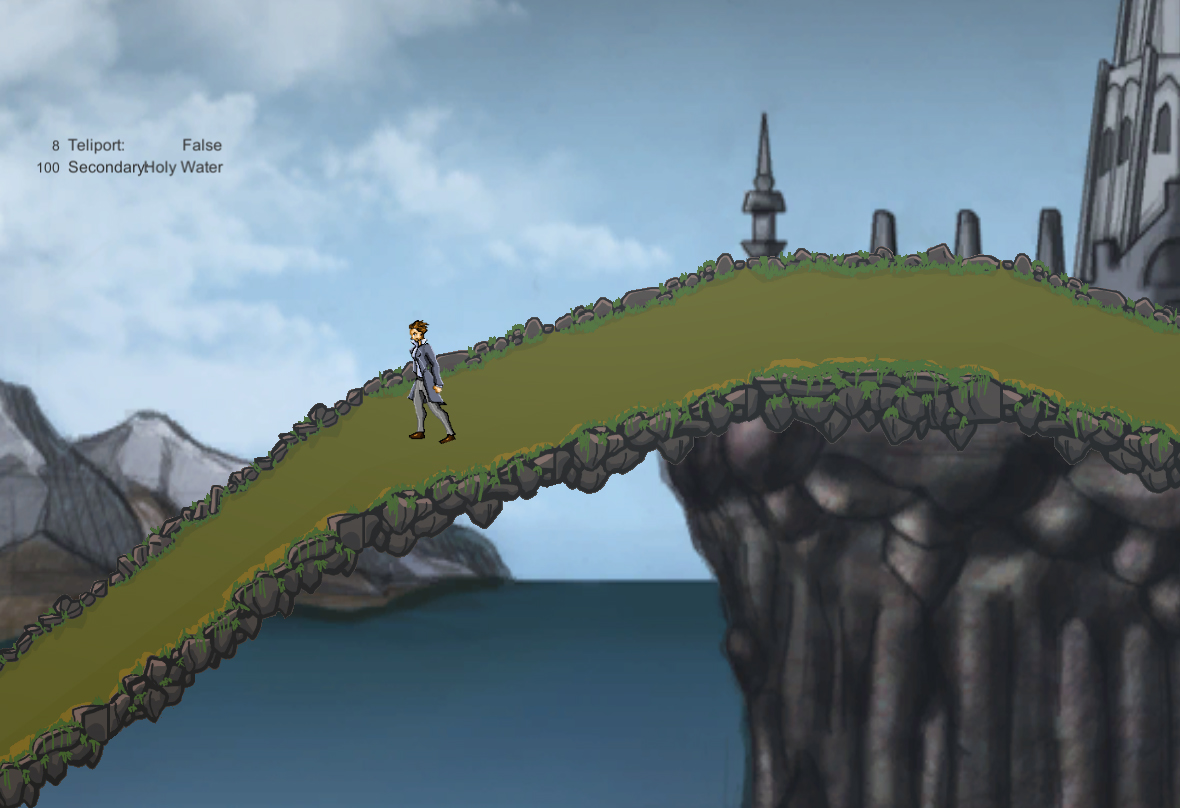
This  week I spent most of my time painting two different textures for my ground collision system. They look something like this:


Hopefully a picture is still worth a thousand words. But I can hear you ask 'why can I see through the ground? Even after you’ve put in the ground?' Well I have not yet made the artwork for that yet. Also I’m not completely sure if I’m going to solve this problem in code or model it in later. One thing at a time.

So that was this week mainly painting. Not a whole lot to say. Next week I think I’m going to try to put in a player powers manager. Also whenever I drive by a Chase bank I notice the architecture and I find myself trying to incorporate it into the design of my future tower… More on that later.